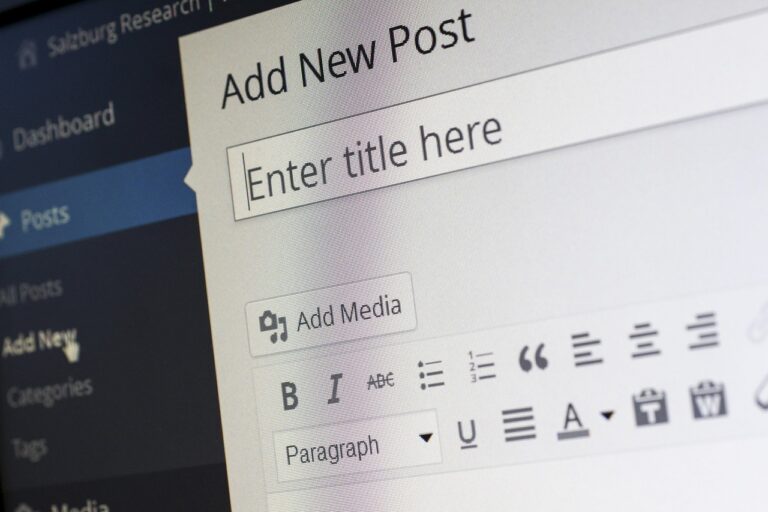
WordPress Content Audit: What to Review Every Quarter
A WordPress content audit means going through everything published on your site and checking if it still holds up. It’s not about rewriting your homepage every few months or fixing typos. It’s a structured look at whether your pages, posts, media, and custom content types are still pulling their weight—for SEO, user experience, and whatever business goals you have.
If you run a blog, a small business site, or an ecommerce store on WordPress, this is how you catch traffic problems before they get worse. Content ages. Links die. Information gets stale. Search algorithms change. A wordpress content audit every quarter catches these things before they turn into ranking losses or users losing trust. This guide runs through what to check, in what order, and what to do with what you find.

Why a Quarterly WordPress Content Audit Matters
Skipping audits has real costs. A page that sat on page one for a key term six months ago might have slipped because a competitor put out something better. Or maybe your post has an expired coupon code, a plugin that doesn’t work anymore, or a statistic that was true but looks wrong now. Users notice that. Search engines also notice when users bounce off outdated stuff.
Quarterly audits beat annual ones because they keep problems small. An annual review means spending three weeks fixing a year’s pile of broken links, stale offers, and formatting issues. A quarterly review takes a few hours and stops that pile from forming.
From a practical angle, here is what regular auditing does:
- Flags performance drops before they become trends
- Spots content worth saving with a refresh
- Stops thin or duplicate pages from watering down site authority
- Keeps user experience consistent across devices and browsers
Mostly, it gives you a clear view of what works and what doesn’t. Without that, you’re guessing.
Step 1: Inventory Your Content Assets
You can’t audit what you don’t know exists. Start by building a complete list of every piece of content on your site. That includes standard blog posts and pages, but also custom post types, landing pages, archive pages, and media files that might bloat your database.
The simplest way is to pull a list from your WordPress admin. Go to Posts > All Posts and click Export under the Tools menu. That gives you a CSV with titles, dates, authors, and statuses. For larger sites with hundreds of pages, a plugin like WordPress Report Builder can generate more detailed exports including word counts, meta descriptions, and revision history.
A quick comparison of approaches:
- Manual spreadsheet: Free but time-consuming. Works for sites under 50 pages.
- WordPress export: Free and includes basic metadata. Good for most small-to-medium sites.
- Premium reporting plugins: Paid but save time. Useful when you have multiple content types or need custom fields exported.
Whichever method you pick, make sure your inventory includes the URL, title, publish date, last updated date, author, word count, and content type. That becomes your master list for the rest of the audit.
Step 2: Check for Broken Links and 404s
Broken links are one of the fastest ways to lose trust. Someone clicks a link to a resource and gets a 404 page—they figure your site isn’t maintained. Search engines also see broken links as a low-quality signal.
Start by scanning your whole site. For most people, a plugin like Broken Link Checker works fine. It runs in the background and tells you when links break or redirect wrong. The free version checks internal and external links and lets you fix them from the plugin interface.
If you want a more thorough check, you can use Screaming Frog SEO Spider (the free version covers up to 500 URLs). It gives you a complete list of broken links, redirect chains, and server errors.
The tradeoff: automated plugins save time but can slow down your admin panel on large sites. Manual scanning is more reliable but takes longer for sites with hundreds of pages. For smaller sites, the plugin approach is fine. For sites over 200 pages, consider scheduling a quarterly manual scan with a desktop tool instead. A reliable external backup drive is worth considering for storing site backups before making major changes.
When you find broken links, decide quickly: update the URL, remove the link, or redirect it. Internal links should always get fixed. External links to resources that no longer exist should get replaced with a working alternative or removed if no good source exists.

Step 3: Review Content Accuracy and Relevance
This step separates a real audit from a mechanical checklist. You need to read through your most trafficked pages and judge whether the information is still correct and useful.
Start with the pages that drive the most organic traffic. Look for:
- Outdated statistics or references (anything that says “” or “last year”)
- Expired promotional offers or discount codes
- Product or service mentions that have been discontinued
- Best practices that have changed (e.g., SEO advice from three years ago may now be wrong)
- Broken embedded media like YouTube videos that were removed
Not all content needs the same treatment. Evergreen content—topics that stay relevant over time—only needs a light review every few years. Seasonal content, news posts, and time-sensitive guides need more frequent checks. A good rule: treat any content older than 12 months as a candidate for a full review.
Use a simple framework for every page:
- Keep: Still accurate, performs well, needs no changes.
- Update: Has some outdated sections but the core topic is still relevant.
- Delete: No longer useful, no traffic, and no overlapping internal links.
This is also where you catch pages that contradict each other. If you wrote two posts giving different advice on the same topic, merge them into one authoritative guide rather than leaving both live.
Step 4: Assess SEO Metrics and Keyword Performance
This step focuses on data, not intuition. You want to know which pages are losing ground and which ones are worth protecting or improving.
Start with Google Search Console. Look at your top queries and their average position over the last 90 days. Focus on pages that have dropped more than three positions in that timeframe. Those are the ones that need attention first.
Then pull organic traffic data from Google Analytics. Sort pages by traffic volume and compare the current quarter to the previous one. Pages with significant drops should get flagged for deeper review.
Here is the practical decision point:
- High-traffic pages with slight drops: Prioritize these for a refresh. Small ranking losses often recover with updated content.
- Moderate-traffic pages with stable performance: Low urgency. Consider whether they could be consolidated with similar pages.
- Low-traffic pages with no engagement: These are candidates for pruning or merging.
Avoid the trap of trying to optimise every page. Focus on the 20% of pages that drive 80% of your traffic. The rest can wait or be removed.
Step 5: Evaluate User Experience and Readability
Good SEO gets people to your page. Poor user experience sends them away. During your audit, check how your content actually reads and looks on different devices.
Start with readability. Use the Yoast readability analysis or a tool like Hemingway Editor to flag overly long sentences, passive voice, or complex paragraphs. Aim for a readability score that matches your audience—technical audiences tolerate denser content, but general readers need shorter sentences and more white space.
Then check visual layout:
- Are your headings structured logically (H1, H2, H3)?
- Do images have descriptive alt text that helps with accessibility and SEO?
- Is the content properly formatted for mobile screens? Use Google’s Mobile-Friendly Test to check.
One practical note: readability and SEO can clash. You may need to include keyword phrases that sound slightly unnatural. The trick is to keep the flow readable first and optimise secondary terms later. A page nobody reads to the end will never rank well no matter how well you optimise it.
Step 6: Prune or Consolidate Thin Content
Thin content drags down your site’s overall quality. Search engines evaluate your domain’s authority across all pages, not just your best ones.
Thin content means pages with very low word counts, no original value, duplicate information, or minimal user engagement. Common examples include:
- Category pages with only a few sentences
- Old news posts that nobody visits
- Thin product descriptions that copy manufacturer text
- Pages that exist only for targeting a keyword but offer no real value
For each thin page, decide using this framework:
- Delete and 301 redirect: Use for pages with no traffic and no unique value. Redirect to a more comprehensive page on the same topic.
- Noindex: Use for pages that serve a functional purpose but should not appear in search results (e.g., internal tag archives, author pages).
- Merge: Use when you have multiple pages covering very similar topics. Combine them into one strong page and redirect the others.
- Expand: Use when the page has a legitimate topic but was just underdeveloped. Add more content and improve formatting.
Be careful not to delete aggressively. If a page has existing backlinks, redirect it instead of letting it 404. Also check whether it contributes to your site’s internal linking structure before removing it entirely.
Step 7: Refresh and Update High-Potential Content
Some of your best content opportunities are already sitting in your revision history. Pages that used to perform well but have started declining are often the easiest wins in an audit.
Look for pages with these characteristics:
- Declining organic traffic but still decent baseline
- Good domain authority or referral backlinks
- Content that could be updated with current data or perspectives
- Solid title and meta description (or easy to improve)
When you update a page, do more than change the date. Add a new section addressing recent developments. Replace old examples with current ones. Improve internal linking to other relevant content. Update the meta description to reflect what the refreshed page offers.
There is a tradeoff here between refreshing old content and creating new content. Refreshing is usually faster and retains any existing ranking signals. New content takes more time but can target fresh keywords. A good rule is to spend 70% of your update effort on pages that already have some traffic or backlinks, and 30% on creating new content for gaps you identified during the audit.
For teams or agencies handling large sites, a content scoring tool can help prioritise. Google Analytics trends, combined with rank tracking data, gives you a simple score of a page’s potential value if refreshed.

Common Mistakes in a Content Audit (And How to Avoid Them)
Even experienced site operators make mistakes during audits. Here are the most common ones and the practical fixes.
Mistake 1: Deleting content too aggressively. A page might have low traffic now but still hold value as part of a larger topic cluster. It may also have external backlinks that would be wasted if you delete it. Fix: always check backlinks and internal linking before removing a page. Redirect rather than delete if there is any doubt.
Mistake 2: Ignoring user intent. An audit based only on data will miss context. A page might have low traffic because users are looking for something different than what it offers. Fix: for each page, ask whether the content actually matches what a searcher wants at that stage of their journey.
Mistake 3: Not documenting changes. Without a record of what you updated, you cannot measure whether the update worked. Fix: keep a simple log of changes, including the date, URL, type of update, and the metric you expect to improve.
Mistake 4: Over-optimising for keywords. Refreshing content by stuffing more keywords into it rarely helps. Fix: focus on improving depth, readability, and user experience first. Keywords matter, but they are secondary to content quality. A good keyword research guide can help you find relevant terms without overdoing it.
Mistake 5: Trying to fix everything at once. A quarterly audit is not a site redesign. Fix: prioritise. Fix the pages with the highest traffic and biggest problems first. Do a second pass next quarter for lower-priority pages.
Tools to Streamline Your Quarterly Audit
The right tools make audits faster and more thorough. Here are the ones that matter most, with their strengths and limitations.
Google Search Console (free): Essential for identifying ranking changes, index coverage issues, and queries where your page is losing position. Use this first for all SEO-related audit tasks.
Google Analytics (free): Traffic trends, engagement metrics, and landing page performance. You cannot run a content audit without this data.
Screaming Frog SEO Spider (free up to 500 URLs, paid for unlimited): Best for finding broken links, redirect chains, missing meta tags, and duplicate content. The paid version adds custom extraction and integration with Google Analytics.
Ahrefs or Semrush (paid): These tools add keyword rankings, competitor comparison, and backlink analysis. Useful for audits where you want competitive context. The free tiers are limited but still helpful for small sites.
WordPress plugins (various): Broken Link Checker, Yoast SEO, and Site Kit all handle specific audit tasks without leaving your WordPress dashboard. Plugins are convenient but usually less powerful than dedicated external tools.
If you are on a tight budget, start with Google Search Console, Google Analytics, and the free version of Screaming Frog. Add premium tools only when the scale of your site justifies the cost.
Building a Sustainable Audit Routine
A quarterly audit only works if you actually do it. Consistency matters more than depth. It is better to run a lean audit every three months than to run an exhaustive one once and never again.
Here is a workable schedule for a small to medium site:
- Month 1: Inventory and check for broken links. Clean up 404s and thin content.
- Month 2: Review accuracy, relevance, and SEO metrics. Update high-priority pages.
- Month 3: Evaluate user experience. Refresh high-potential content. Prepare the next quarter’s plan.
If you have a team, assign specific responsibilities. One person handles the technical checks (links, SEO data), another handles editorial review (accuracy, readability). Track your progress in a shared document or spreadsheet so you can compare results across quarters.
Long-term, content audits protect the authority you have built and help it grow. A site that registers outdated information tells visitors and search engines the same thing: it is no longer being maintained. Regular audits are the best insurance against that.
Set a recurring calendar reminder for the first week of every quarter. Even one hour of structured review will catch problems before they become visible to your audience. That is time well spent.